Product Search:    Shopping CartShopping Cart  
Buy Radar Detectors
Welcome to www.1stRadarDetectors.com
Your Radar Detector and Laser Detector Experts!
  Buy From The Best! Fast Shipping! Call Us For Expert Advice!  

FREE FedEx GROUND SHIPPING ON MOST U.S. ORDERS OVER $375! Details

MAIN DETAILS RATINGS TESTS VIDEOS
INSTALLATION SPECIFICATIONS COMPARE ACCESSORIES

Valentine One Installation

 
V1 radar detector: Valentine1
V1 radar detector: Valentine1 Optional Remote Display - used to hide your Valentine One and locate the display information where you prefer.
V1 radar detector: Valentine1
V1 radar detector: Valentine1 Optional Audio Control module - used to hide your Valentine One and control on/off and volume to the Valentine One. This unit also provides a headphone connection for motorcycle drivers.
V1 radar detector programming
V1 radar detector programming for #1 X, #2 K, #3 Ka Superwide, #4 Laser. On is Up Arrow, Off is Down Arrow. There is no reason to change 5-8 or A.
Unless you really want
Unless you really want to refine your response, there is no reason to change settings: b, C or d.
There is no reason

There is no reason to change settings: E, F, G and I.

#H = Ku radar band used in Belgium and Northern France

#J = POP3, K and Ka Burst radar band detection

#U = Euro Ka Narrowband Photo Radar band

#u = Euro X radar band

These 4 features can be changed according to your needs. Look closely at the arrow indications for "ON". Some arrows are UP for on, while other features require a down arrow for on. Note the new "u", Euro X band feature.

The Euro Mode and Ku band are separate features and require separate activation.

Euro Mode narrows and intensifies radar coverage, and limits it to K band plus the sections of Ka bands used in Europe for photo radar.

When Euro Mode has been activated, upon power up you will see the sequence "E," "u," "r" appear in the Bogey Counter. When the power-up sequence is complete, the Bogey Counter will show either "U" or "u." Pressing the Control Knob will toggle between them.

Select "U" to enable both K and Ka (Photo) bands. Select "u" to enable only Ka band.

CE Mark for European Drivers.

Easy to Install

Includes FREE FedEx Ground Shipping in the U.S.A.!

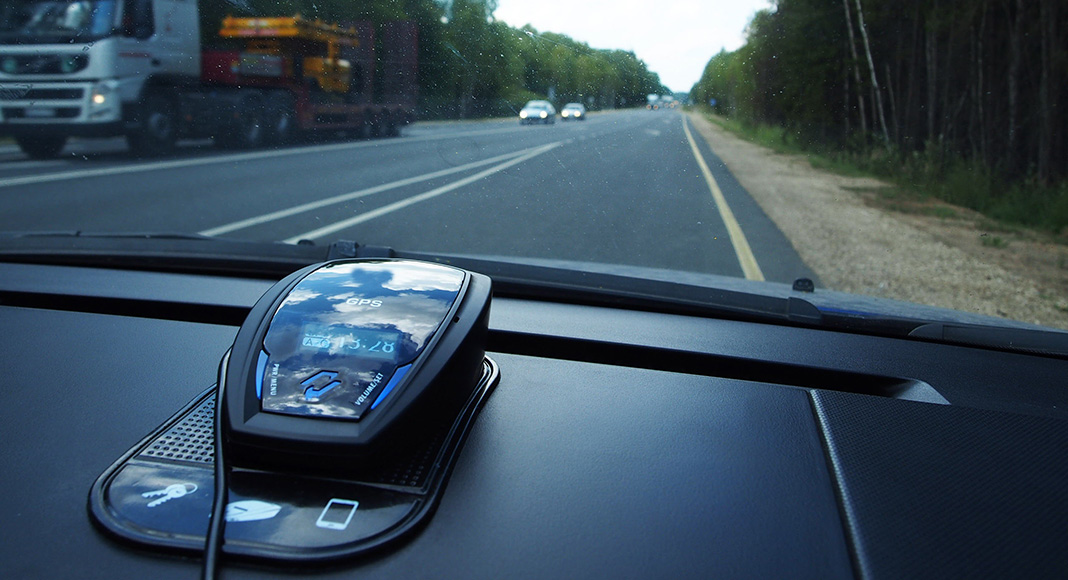
The Valentine One is sleek in design and easily installs in the windshield, plugging into the 12Vdc outlet in the vehicle and attaches to the windshield via a suction cup attachment. It can quickly disconnect and slide right into your pocket when you wish to remove it from the windshield. The built-in self-test function guarantees reliable and complete protection every time you turn the Valentine One on, as it tests each mode of operation. The V1 Remote is designed for hidden installation under the bumper of your vehicle; therefore, you may desire to have your local car stereo shop install the V1 Remote. Please review the Installation Guidelines, located on the Valentine One Main Page.

The Euro Mode and Ku band are separate features and require separate activation.

Euro Mode narrows and intensifies radar coverage, and limits it to K band plus the sections of Ka bands used in Europe for photo radar.

When Euro Mode has been activated, upon power up you will see the sequence "E," "u," "r" appear in the Bogey Counter. When the power-up sequence is complete, the Bogey Counter will show either "U" or "u." Pressing the Control Knob will toggle between them.

Select "U" to enable both K and Ka (Photo) bands. Select "u" to enable only Ka band.


CE Mark for European drivers.

Installation/Tips

The Valentine 1 is installed in the windshield, using the vacuum suction attachment provided. A visor mount is also included. Two power cables are provided, one coiled cord, one straight cord. Power can be connected via a hardwire connector, and a cigarette adaptor plug in.

The Valentine1 includes everything you need right out of the box to get started. 1 minute to hook up and then just turn power on when you are ready to drive.

I. How to enter the Programming Mode. (Change at Your Own Risk)

Starting with the Control Knob in the "off" position, Press and hold-in Knob and at the same time turn the Knob “on;” continue holding in the Knob until all front-panel lights are on (takes about 5 seconds). Release the Control Knob.

II. How to determine your software version.

Press and immediately release the Control Knob (shown at right) to display software version. The software-version number is four digits that display one digit at a time in the Bogey Counter-example: 2.869. Note your software number, then see the tables on the following pages on features programmable in your unit. Press and immediately release the Control Knob to exit software-version display and go to Step 1 programming.

III. How to program your desired features.

The feature character is indicated in the "Bogey Counter" (1, 2, 3, 4, 5, 6, 7, 8, A, b, C, d, E, F, G, H, J, or u).

To select the next Feature Character in the sequence, press and immediately release the Control Knob.

The Feature State is indicated by direction arrows on the Radar Locator. The Feature State is changed by pressing and holding the Control Knob until the arrow switches to the opposite direction (takes about 3 seconds). NOTE: If you need to return to an earlier Character in the sequence above, we recommend you switch off the power momentarily, then restart at step I above.

The numerical program modes of interest are as follows:

US/Canadian/HK Frequency: #1 (X band ON = Up Arrow OFF = Down Arrow)

We recommend not to change any other mode for US/Canada!

EUROPE / AU Frequency #1 (X band OFF = Down Arrow)

EUROPE / AU Frequency #2 (K = 24.125GHz : ON = Up Arrow)

EUROPE / AU Frequency #3 (Ka band ON = Up Arrow)

EUROPE / AU Band #4 (Laser ON = Up Arrow)

EUROPE / AU Frequency #4 #H (Ku ON Down Arrow)

EUROPE / AU Frequency #J (POP3 ON = Up Arrow

EUROPE / AU Frequency #U (Euro Ka = 34.3GHz, ON = Down Arrow)

We recommend not to change any other mode for Euro Radar Detection!

IV. How to exit the Programming Mode.

Switch power off, or unplug. The changes you programmed will be retained in memory.

V. How to tell if V1 has been changed from factory settings.

If the unit has been changed, P will appear briefly in the Bogey Counter soon after V1 is switched on (after the lamps-on test, but before the Mode indicator appears.) On V1s with serial numbers ending in 0600 or higher, a flashing red LED just to the right of the Bogey Counter during the sequence above indicates that Ku coverage has been activated. Euro K band is at 24.125GHz. Wideband Ka is turned off when Euro Ka is turned on.

The Euro Mode and Ku band (see bottom) are separate radar detection features and require separate activation. Euro Mode is a narrowband Ka radar detection is used in Europe and Australia to detect photo speed traps. When Euro Mode has been activated, upon power up you will see the sequence "E," "u," "r" appear in the Bogey Counter. When the power-up sequence is complete, the Bogey Counter will show either "U" or "u." Pressing the Control Knob will toggle between them. Select "U" to enable both K and narrowband Ka (Photo) bands. Select "u" to enable only narrow Ka band.

Euro Ka (Big "U" displayed) mode detects:

Ka POPIII 33.8GHz

KA Narrowband 33.97GHz to 34.65GHz after July 2006 (Rev 3.8.5.1 and later

KA Narrowband 34.2GHz to 34.45GHz before July 2006

K 24.125GHz and K POPIII radar

X turned off

Euro Ka (Little "u" displayed) mode detects:

Ka POP 33.8GHz

KA Narrowband 33.97GHz to 34.65GHz after July 2006 (Rev 3.8.5.1 and later

KA Narrowband 34.2GHz to 34.45GHz before July 2006

All K turned off

All X turned off

Euro Ku = 13.45 GHz - Ku is used in UK, Netherlands, Northern France, Taiwan, Belgium, but not in the USA as of Jan07.


Quality Product The Valentine One is designed and manufacturing in the USA under strict quality control. All units are carefully tested and packaged before shipment. With new surface mount (SMT) technology and a titanium enclosure, Valentine has successfully held manufacturing costs down and provided a very nice looking product style with highest performance available.

Shipments All orders are shipped via Fed Ex to a street address only. Delivery requires your signature. Orders prior to 4:30 PM MST are usually shipped the same business day. Shipping (Standard Overnight, 3rd Day, FED Ex Ground, Fed Ex International) is provided Monday –Friday and up until 10AM on Saturday. Sunday is excluded.

Select:
Top of Page
Our Products